Remote Work
Filipino Remote Teams: Time Zone Communication Tips
Make async communication the default with clear overlap windows, exact cross‑timezone deadlines, and documented handoffs for Filipino remote teams.
10 min read
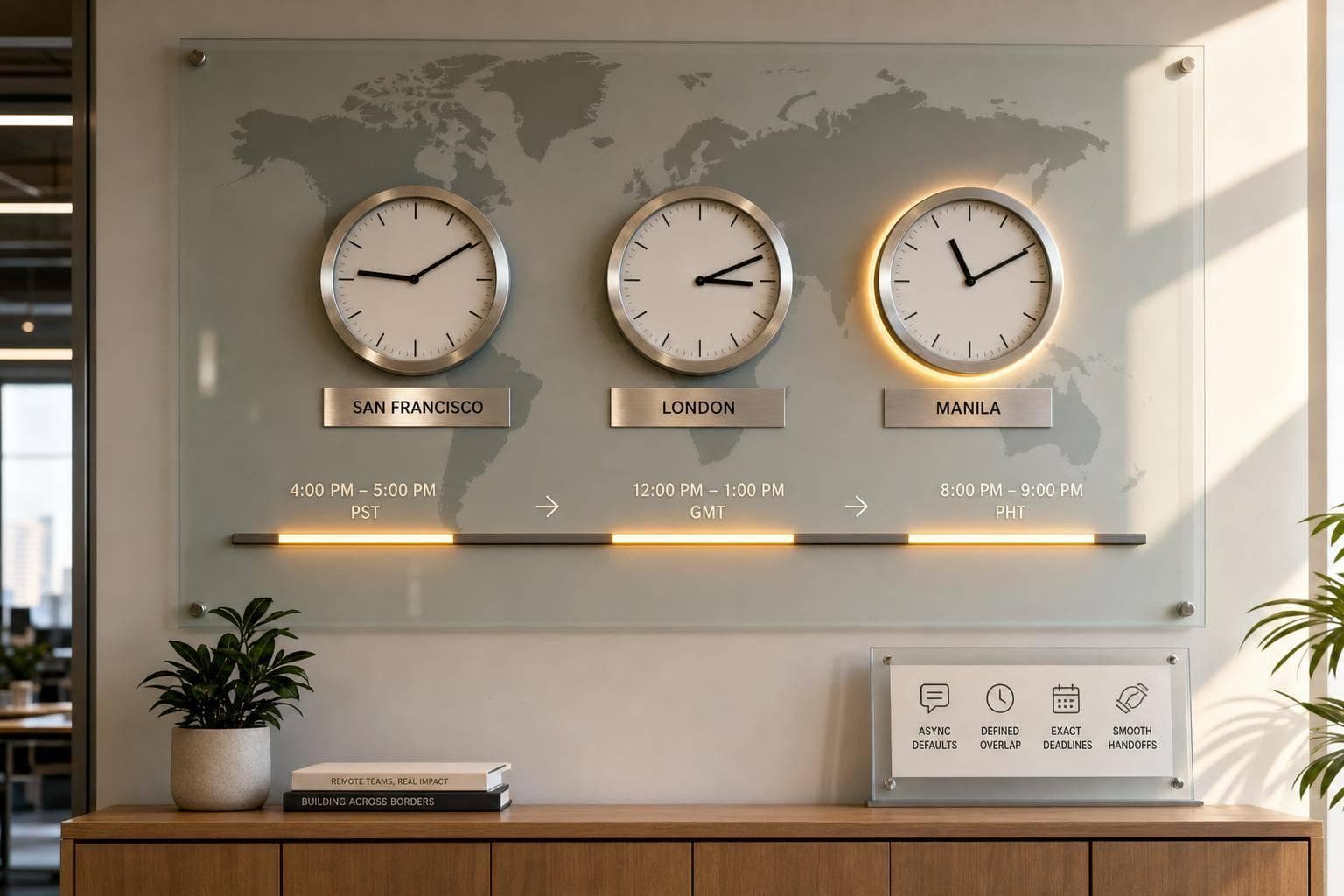
If I work with a team in the Philippines, I get better results when I treat written updates as the default and keep live meetings limited. The U.S.–Philippines gap is usually 12–16 hours, and that gap gets 1 hour larger in U.S. winter time. Research cited in the article says live communication drops as time distance grows, so I should not build work around constant calls.
Here’s the short version:
- Use async first for updates, handoffs, reviews, approvals, and routine questions
- Use live calls only for blockers, urgent issues, and topics that need back-and-forth
- Set a shared overlap window of about 2–4 hours
- Write every deadline with date, time, and both time zones
- Set reply rules by channel and task type
- Document decisions after every meeting so the next shift can keep moving
- Rotate late or early meeting times so one side does not carry the burden every week
- Hire for written communication, clear handoffs, and comfort with delayed feedback
A few numbers stand out:
- The Philippines uses PHT (UTC+8) all year
- A 9:00 AM PT meeting can land around 12:00–1:00 AM PHT
- A brief sent at 4:00 PM PT can reach a Manila teammate around 7:00–8:00 AM PHT
- The article points to a 2–4 hour shared window as enough for many teams
- It also cites research showing synchronous communication drops by 11% for each extra hour of time delay
My takeaway is simple: I should build a system, not rely on people staying up late. That means mapped schedules, clean handoffs, exact deadlines, narrow urgent labels, and written decision logs. Once those are in place, the time gap becomes a work cycle instead of a daily problem.
How asynchronous communication will transform your remote work with Amir Salihefendic, Doist
sbb-itb-3690fed
Map Working Hours and Set Fair Overlap Windows
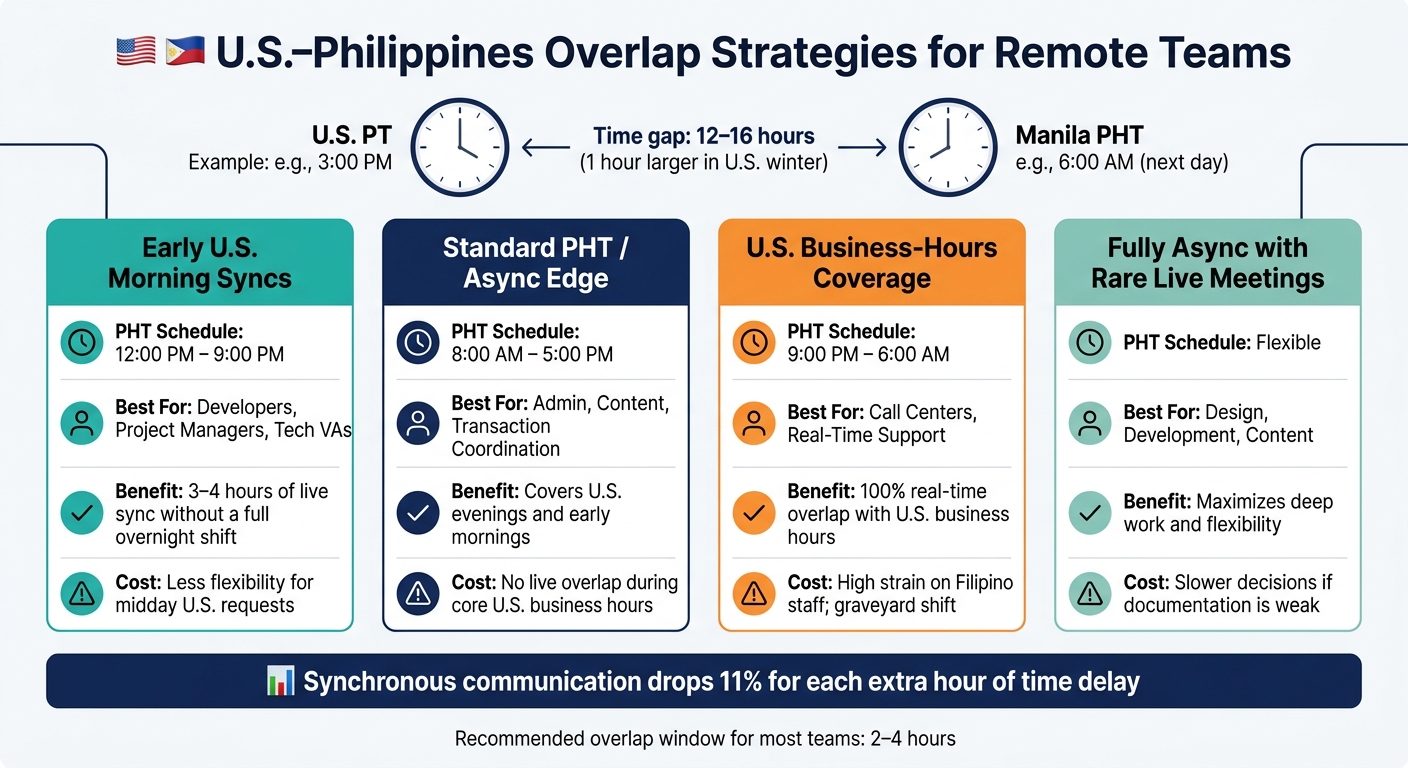
U.S.–Philippines Time Zone Overlap Strategies for Remote Teams
Build a Shared Time Zone Map for Your Whole Team
A shared roster helps you avoid missed handoffs and those why is this meeting at midnight? moments. The goal is simple: let managers and teammates see, at a glance, who’s online, when they work, and where gaps might show up.
For each team member, record:
- City
- Time zone
- Actual working hours
- Preferred meeting window
- Days off
- Any blocked or unavailable times
That last point matters more than people think. Don’t assume everyone works 9:00 AM–5:00 PM local time. Many Filipino specialists work flexible or shifted schedules.
Keep all of this in one shared place, like a team calendar, spreadsheet, or ops doc. Use the same format for everyone so it’s easy to scan. For example: Manila | PHT | 9:00 AM–6:00 PM local | overlap window: 8:00–10:00 AM PHT.
It also helps to track U.S. federal holidays and Philippine public holidays in that same calendar. That way, you don’t end up booking meetings on someone’s local day off.
Pick an Overlap Model That Fits the Work
Most U.S.–Philippines teams don’t need full same-hour coverage all day. A steady 2–4 hour overlap window is usually enough.
| Overlap Strategy | PHT Schedule | Best For | Benefit | Cost |
|---|---|---|---|---|
| Early U.S. morning syncs | 12:00 PM–9:00 PM | Developers, project managers, Tech VAs | 3–4 hours of live sync without a full overnight shift | Less flexibility for midday U.S. requests |
| Standard PHT / async edge | 8:00 AM–5:00 PM | Admin, content, transaction coordination | Covers U.S. evenings and early mornings | No live overlap during core U.S. business hours |
| U.S. business-hours coverage | 9:00 PM–6:00 AM | Call centers, real-time support | 100% real-time overlap with U.S. business hours | High strain on Filipino staff; graveyard shift |
| Fully async with rare live meetings | Flexible | Design, development, content | Maximizes deep work and flexibility | Slower decisions if documentation is weak |
For a lot of knowledge-work roles, like marketing, development, and operations, the partial overlap model of 12:00 PM–9:00 PM PHT tends to work well. It gives a U.S. Pacific team live time in the morning, while letting Filipino teammates avoid a full overnight schedule.
Set Clear Rules for Meetings, Availability, and Rotation
Once you choose the overlap window, put the ground rules in writing. If you don’t, habits drift, and the same people usually end up paying the price.
A solid policy should spell out three things:
- Cap live meetings at 3–4 hours per person per week.
- Rotate inconvenient meeting slots on a set cadence, so one region doesn’t get stuck with the same off-hours slot every week.
- Require advance notice for any non-urgent meeting changes.
That rotation piece matters. It shows the team works as a two-way partnership, not a one-sided setup.
And one more thing: always include the time zone in every invite. A meeting time without a time zone is just asking for mistakes.
Build an Async-First Communication System
Build one written system that keeps work moving across the U.S.–Philippines gap. The goal is simple: structure updates, requests, and handoffs so work keeps going while one side is offline. Async works best when everyone follows the same rules for updates, replies, and handoffs.
Once you have overlap windows, turn them into a repeatable written workflow.
Use Standard Templates for Daily Updates and Handoffs
A consistent end-of-day update format takes the guesswork out of handoffs. When every team member uses the same structure, the next person can pick up the work without waiting for a reply.
Keep these updates in one shared, searchable place, like a Slack channel or project management tool. Post daily updates in a shared channel or task card so handoffs don’t rely on one-to-one chat. The next person should be able to act without stopping to ask for clarification.
Templates help, but only if the message itself is clear.
Write Messages That Cut Back-and-Forth
Clear requests stop a one-day delay from turning into two. Across the U.S.–Philippines gap, unclear messages can easily add a full extra day.
Lead with the request, then add only the context needed to act. Include the exact deadline and time zone - for example, "Please complete by Thursday, September 10, 2026, at 11:00 AM ET". Lead with the request, include the link, and spell out what “done” looks like.
Set Response Time Expectations by Channel and Task Type
Set response windows by channel and task type so people know what can wait and what can’t. Then define how fast each type of request should move.
| Scenario | Preferred Method | Expected Response Window | Risk of Wrong Method |
|---|---|---|---|
| Guest inquiry (real-time support) | Sync (overnight shift) | Within platform SLA (e.g., under 1 hour) | Lost bookings |
| Document review or transaction coordination | Async | 12–24 hours | Missed contingency deadlines |
| Technical bug or SaaS integration issue | Async ticket/thread | 4–12 hours | Workflow stoppage for U.S. team |
| Routine admin or data entry | Async email/task tool | 24 hours | Minor project delays |
Match urgent work to fast channels and routine work to slower ones. Set these windows once, then use them the same way each time. Write the rule down, document it, and make sure overnight work can continue without guesswork.
Set Time Zone Etiquette and Documentation Rules
Once overlap windows are set, you need writing rules that keep work moving while one team sleeps. Response windows help, but they don't solve confusion on their own. The next layer is simple: clear deadlines, strict urgency labels, and written decision logs.
Always Write Exact Deadlines With Time Zones
Ban vague deadlines.
Write the full date, exact time, and both time zones every time.
For example: "Deliver the revised customer FAQ by September 12, 2026, 5:00 PM PT / September 13, 2026, 8:00 AM PHT." That removes guesswork fast.
Use the same deadline format in task cards, emails, and Slack messages. It also helps to add a second time zone view in Google Calendar or Outlook so managers can see PHT right away when they schedule anything.
Once deadlines are clear, the next step is deciding what actually needs immediate attention.
Separate Urgent Requests From Routine Work
Define urgent in a narrow way. That should cover outages, security incidents, payment failures, and major customer escalations.
Everything else - content updates, internal reports, noncritical fixes, and standard replies - should go through normal channels.
Use standard subject tags like [URGENT – PROD OUTAGE] or [ROUTINE – NEXT DAY] so Filipino specialists can tell at a glance whether a task needs action now or can wait for the next shift. Put those definitions in your team handbook, and keep urgent labels limited to managers or leads.
When work continues offline, the written record has to carry the handoff.
Document Decisions So Work Can Continue Overnight
Live meetings should end with written output, not loose context. Most overnight delays happen because someone is missing a key detail.
After every live call, post a short decision log that covers:
- what was decided
- why it was decided
- who owns it
- the next step, with a deadline in both time zones
For more involved tasks, a 5–10 minute recorded walkthrough can make life much easier for the next person. Instead of waiting for a live explanation, they can watch, understand the task, and keep moving.
Store notes, recordings, and decisions in one searchable hub so the next shift can pick up the work without delay.
Good documentation turns into a daily habit. Log decisions right away, mark open items clearly so they aren't mistaken for approvals, and include the reasoning behind a decision, not just the final call. Async teammates can't ask follow-up questions in real time, so the written record needs to do that job for them.
Apply These Practices When Hiring and Managing Filipino Remote Specialists
What to Look for in Time Zone-Ready Filipino Talent
Once your communication system is in place, the next step is hiring people who can work well inside it. If you're hiring Filipino remote specialists for cross-time-zone work, written communication matters just as much as technical skill.
You want people who can flag blockers early, write clear handoff notes, and keep work moving without needing someone online beside them. In practice, that means testing for a few specific habits:
- Proactive blocker updates
- Clean handoff notes
- Comfort working with delayed feedback
Those traits matter most when work needs to keep moving after the U.S. team logs off.
It also helps to focus on roles that gain the most from overnight progress. That often includes virtual assistance, customer support, bookkeeping, web development, content production, and data work. High English proficiency also makes async written work much smoother.
How FindTalent.ph Supports Async and Cross-Time-Zone Teams
FindTalent.ph helps businesses find Filipino specialists who already work well in async setups. The platform connects businesses with verified Filipino specialists across areas like virtual assistance, customer support, web development, bookkeeping, content creation, creative design, e-commerce, and data analytics. It uses AI-powered matching to surface candidates suited for international remote work.
It also reviews profiles for communication, reliability, and role fit, including experience with async-friendly tools like Slack, Asana, Notion, and Google Workspace. Businesses can message specialists directly with no recruiter fees or platform commissions, which makes it easier to confirm overlap windows and handoff expectations upfront.
Conclusion: Make Async the Default and Keep Live Time Limited
The main point is simple: systems matter as much as talent. You can hire skilled people and still lose hours each day to time zone mix-ups if the communication structure isn't there.
Map your working hours. Set a fair overlap window. Standardize async updates. Write every deadline with the exact time and both time zones. Document decisions so work can keep moving while your team sleeps.
When those pieces are in place, the U.S.-Philippines time difference gets much easier to handle, and work is already moving when you start the next day.
FAQs
How much overlap does my team really need?
It depends on how your team works. Many Filipino remote roles do just fine with partial overlap, especially for deadline-based work like transaction coordination or research.
If your team needs live collaboration or daily standups, a shared 2–4 hour window is usually enough. That tends to work best when you also have strong async communication and shared project tracking tools in place.
When should we use async instead of a live call?
Use async for work that doesn’t need live back-and-forth. That includes routine updates, project or status reporting, task tracking, and deadline or file follow-up.
A small 2–4 hour overlap is usually enough for quick shared standups. After that, written updates, detailed notes, and recorded meetings help the work keep moving across U.S.–Philippines time zone gaps.
How do we prevent time zone deadline mistakes?
Prevent time zone deadline mistakes with clear communication and planned scheduling. Spell out required working hours or overlap windows in the contract instead of assuming a default.
Use asynchronous practices like shared contingency calendars, recorded meetings, and detailed written updates so progress stays visible. For deadline-sensitive tasks, make sure the specialist’s shift lines up with specific U.S. business-hour needs.