Remote Work
How to Hire Filipino Graphic and UI/UX Designers: Portfolios, Rates, and Vetting (2026)
Pick the right role, score portfolios, run a paid test, and set realistic 2026 rates for Filipino graphic and UI/UX designers.
12 min read
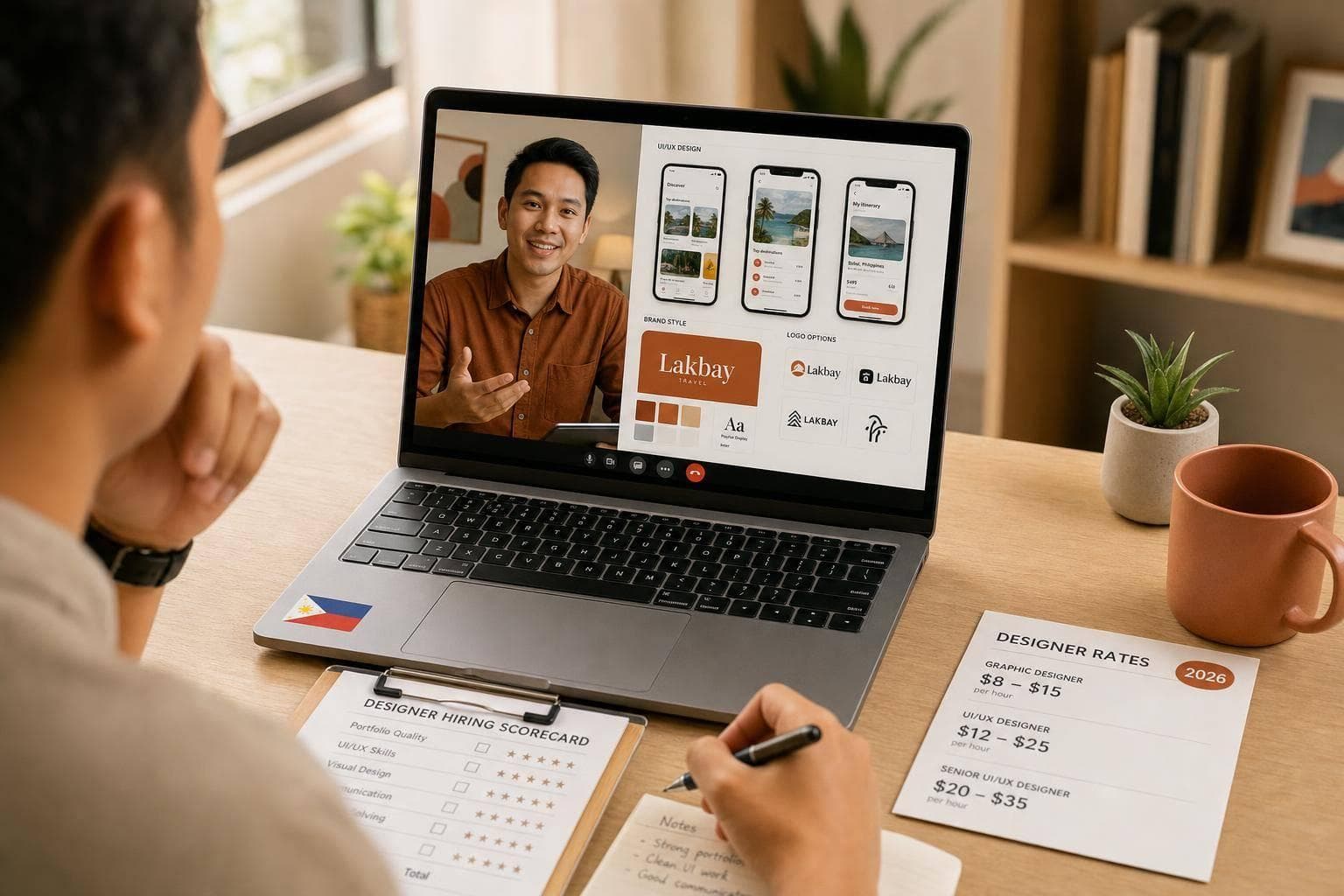
You can hire a Filipino designer well in 2026 if you do 3 things first: match the role to the work, review portfolios with the same scorecard, and run a short paid test before you hire. In many cases, rates sit around $5 to $45+ per hour, with some roles costing far less than U.S. hires that may run $80 to $150 per hour, which can cut payroll by up to 80%.
Here’s the short version of what I’d focus on:
- Pick the right role first: graphic designer, UI/UX designer, or a mix of both
- Review portfolios by fit, not looks alone
- Check rates by seniority and scope
- Use a paid test and short interview to screen for work quality and remote fit
- Make the final call on quality, communication, and <u>reliability</u>
If I were hiring, I’d use this simple lens:
- Graphic designers fit brand work like logos, ads, decks, and social posts
- UI/UX designers fit product work like flows, wireframes, prototypes, and app screens
- Hybrid designers fit small teams that need one person to handle both
Quick Comparison
| Role | Best For | What I’d Look For in a Portfolio | Common Rate Direction |
|---|---|---|---|
| Graphic Designer | Brand and marketing assets | Brand systems, layout, type, and work across formats | Often lower to mid-range |
| UI/UX Designer | Product and website user flows | Case studies, wireframes, research, iteration, and results | Often mid to upper range |
| Hybrid Designer | Startups and lean teams | Both visual work and product thinking | Often mid to upper range |
On pricing, I’d expect rough 2026 ranges like this:
- Entry-level: $5 to $12/hour
- Mid-level: $12 to $25/hour
- Senior/lead: $25 to $45+/hour
For vetting, I would not stop at a polished portfolio. I’d also check:
- short video interview
- paid test project
- tool use like Figma and Slack
- time zone overlap
- backup internet and workspace
- ID and reference checks
Bottom line: the best hire is not just the lowest rate. It’s the person whose portfolio matches your scope, whose process is clear, and who can work well with your team from day one.
sbb-itb-3690fed
1. Define the Role Before You Review Portfolios
Define the role before you start reviewing portfolios.
If you skip this step, it's easy to compare the wrong kind of work and end up shortlisting the wrong person. A portfolio should show fit for one of three scopes: brand visuals, product UX, or both. That scope is what you should use to judge the work, not just the job title.
Graphic Designer vs. UI/UX Designer vs. Hybrid Designer
Each role needs a different lens. You’re not looking for the same signals, deliverables, or outcomes across all three.
| Role | Core Responsibilities | Key Deliverables | Common Tools | When to Hire |
|---|---|---|---|---|
| Graphic Designer | Branding and marketing visuals | Social media posts, ad creatives, logos, brochures | Adobe Creative Cloud, Canva | For brand refreshes and marketing collateral |
| UI/UX Designer | User flows, wireframes, and interface design | App workflows, prototypes, landing page layouts | Figma, Adobe XD, Sketch | For improving digital product usability or user retention |
| Hybrid Designer | Visual and product design | Full website redesigns, brand kits, web assets | Figma, Webflow, Adobe Creative Cloud | For startups that need one person to handle multiple design facets |
Once the role is clear, reviewing portfolios gets faster and more objective.
Match the Role to Your Scope, Team, and Budget
Your project type is the clearest signal.
A brand refresh usually calls for a graphic designer. An app workflow update needs a UI/UX designer. And if you're redesigning a landing page that needs both visual polish and a layout that works well, a hybrid designer is often the right call.
Team size matters too. If you're working with a small team and need one person to handle more than one kind of design work, a hybrid designer can make a lot of sense. If you're producing a high volume of marketing content, look for a graphic designer or Canva specialist. If you're working on a more complex product build, put a dedicated UI/UX designer with a strong Figma portfolio at the top of the list.
Define the role first so you don't waste time reviewing portfolios that were never a match in the first place.
With the role defined, move to portfolio scoring.
2. Evaluate Portfolios Using a Consistent Scorecard
A polished portfolio can still hide weak work. That's why it helps to score every candidate against the same set of criteria. You get a shortlist based on fit, not gut feel or flashy presentation.
What Strong Graphic Design Portfolios Look Like
One of the clearest signs of a strong graphic design portfolio is brand consistency across formats. You want to see a full brand system at work: logo systems, typography, color palettes, and the way those pieces carry across social posts, infographics, and pitch decks. That range shows the designer understands how a brand works as a system, not just how to make one nice-looking asset.
Pay attention to unexplained mockups. Strong candidates spell out what they owned and give context for the brief. If someone includes agency work but doesn't say what part they handled, ask. The same goes for AI-assisted work. If a designer used AI tools, they should show how they took that draft and shaped it into a distinct, on-brand final asset.
UI/UX portfolios call for a different standard. Here, process matters more than polish alone.
What Strong UI/UX Portfolios Look Like
For UI/UX, case studies beat final screens far more often. A portfolio full of polished app mockups may look nice, but it doesn't tell you how the designer thinks. What you need is the path behind the work: the problem they were solving, who the target user was, early wireframes, and how the design changed through iteration.
The best case studies also show a research phase. That can include competitor analysis, user pain points, or audience data, along with the final output. It's also smart to favor case studies with measurable results like conversion rate, bounce rate, or session duration. If a portfolio says it "improved user engagement" but gives no numbers, that's a red flag.
It also helps to look for collaboration signals. Did the designer work with developers or product managers? Did they document design decisions in a clear way? Designers who can explain their thinking to non-designers are often much easier to work with in a remote setup.
Build a Portfolio Review Table for Shortlisting
Use those signals to score each candidate the same way. A simple review table keeps things grounded and makes side-by-side comparison much easier.
| Criterion | What to Look For | Red Flags |
|---|---|---|
| Visual Quality | Consistency in brand systems, typography, and layout across platforms | Inconsistent quality, unexplained mockups, or generic AI-generated visuals without refinement |
| UX Process | Case studies with problem framing, research notes, wireframes, and user flow logic | Final-screen-only portfolios with no explanation of design decisions or user research |
| Business Impact | Verified analytics, conversion metrics, or verified client testimonials | Vague claims like "improved engagement" with no numbers to back them up |
| Process Clarity | Clear brief, iteration notes, and handoff documentation | Only finished visuals, no process evidence |
Score each criterion the same way during review. Use the same table for every candidate so your shortlist stays easy to compare.
3. Set Budget Expectations for Filipino Designers in 2026
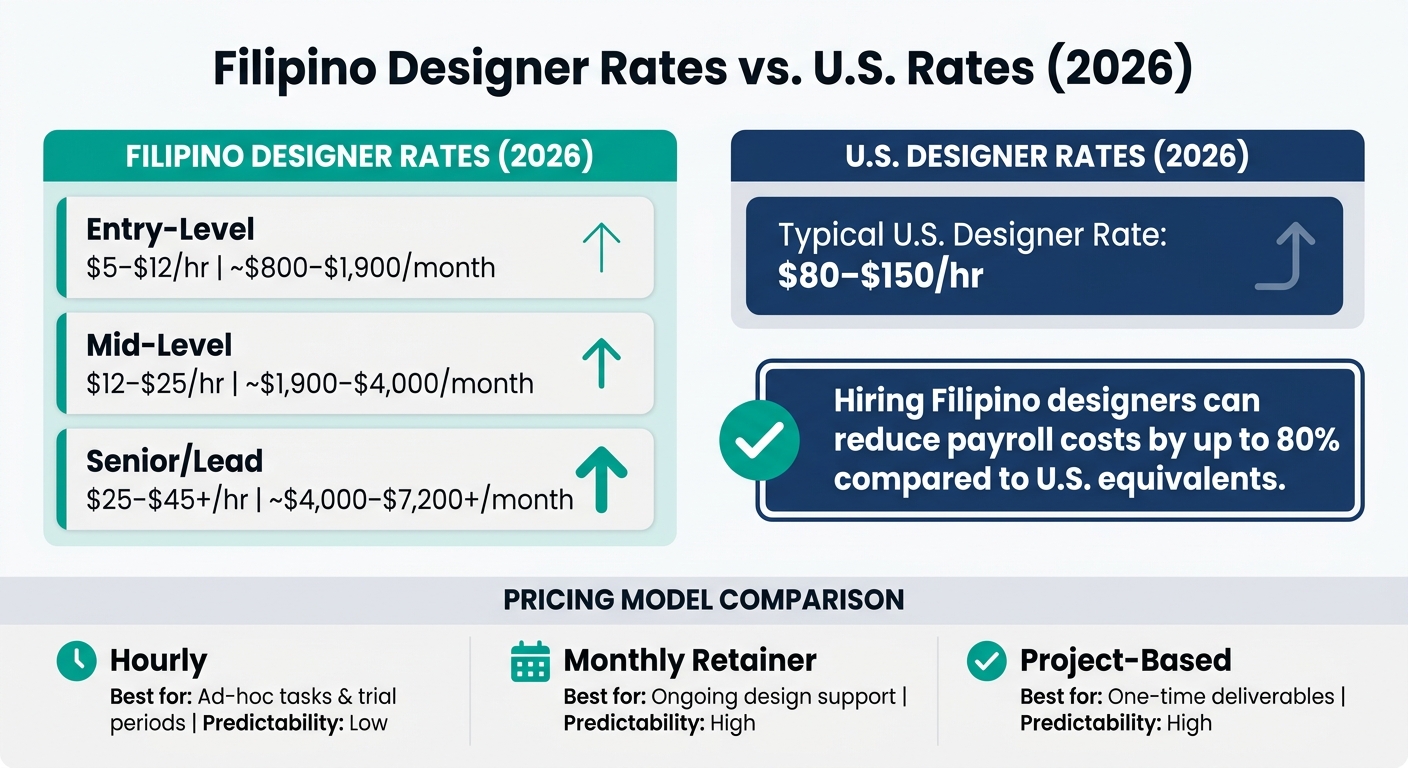
Filipino Designer Rates vs. US Rates by Role & Seniority (2026)
Once you have a shortlist of strong portfolios, the next step is figuring out what you’re willing to pay. Filipino designers often cost less than designers in many Western markets, but pricing can still swing a lot based on the role, experience level, and how you hire them. The smartest way to set a budget is to start with scope and seniority, then compare candidates from there.
Hourly, Monthly, and Project-Based Pricing Models
The best pricing model comes down to the kind of help you need and how often you need it.
Hourly rates are a good fit when work comes in waves, when you need help with overflow tasks, or when you want to try working with a designer before making a longer commitment. If your needs change week to week, hourly can give you more room to move.
Monthly retainers work better for steady design support. That might mean social media graphics, ad creative refreshes, or internal design work. This setup gives you a set monthly cost and usually more dependable access to the designer.
Project-based pricing makes sense for one-off jobs with a clear finish line, like a logo package, a landing page, or an app prototype. If the scope is locked in, this model is often the simplest.
| Model | Best For | Predictability |
|---|---|---|
| Hourly | Ad-hoc tasks, overflow work, trial periods | Low |
| Monthly Retainer | Ongoing design support, embedded team roles | High |
| Project-Based | One-time deliverables (logo, app prototype) | High |
2026 Rate Ranges by Role and Seniority
Filipino designer rates in 2026 cover a broad range depending on experience level.
| Seniority Level | Hourly Rate | Approx. Monthly Retainer |
|---|---|---|
| Entry-Level | $5–$12 | $800–$1,900 |
| Mid-Level | $12–$25 | $1,900–$4,000 |
| Senior / Lead | $25–$45+ | $4,000–$7,200+ |
UI/UX specialists and designers who handle advanced prototyping or use AI-assisted workflows often land at the top end of these ranges. That extra cost can make sense if you need faster iteration, cleaner handoff files, or more polished product thinking.
What Affects the Price and How to Negotiate
A few things tend to push rates up: specialization, strong English, overlap with U.S. working hours, and skill with AI-assisted workflows. In plain terms, if a designer can jump into meetings with your team, explain decisions clearly, and move fast inside modern tools, expect to pay more.
For employee hires, don’t stop at base pay. You’ll also want to account for thirteenth-month pay and Philippine holidays.
When it’s time to negotiate, keep it simple. Tie the rate to the scope, expected output, turnaround time, and availability. A cheaper quote can look good at first glance, but if the designer needs heavy direction or misses deadlines, that lower price can disappear fast.
Once the budget is set, the next step is testing and interviewing to check delivery quality and remote dependability.
4. Vet Candidates With Tests, Interviews, and Remote Readiness Checks
Once you've set the role, reviewed the portfolio, and aligned on rate, the next step is vetting. At this stage, you're not just checking design skill. You're checking execution, communication, and whether someone can work well in a remote setup. A clear funnel helps you move fast without making rushed calls.
A Simple Vetting Funnel From Pre-Screen to Final Interview
A lot of hiring mistakes happen when teams lean too hard on a portfolio or skip steps. A polished portfolio can look great. But can the person explain their process, handle feedback, and work within your setup? That's what the funnel is for. Each stage should do one clear job.
| Vetting Stage | Objective | Typical Duration | What to Assess |
|---|---|---|---|
| Pre-Screen | Filter for core skills and budget fit | Instant | Skills match, portfolio quality, and listed rate |
| Short Video Interview | Assess technical depth and communication | 15–30 mins | Tool fluency (Figma, Slack), process explanation, and schedule flexibility |
| Paid Test Project | Verify real working ability | 2–3 days | Constraint handling, revision response, and final deliverable quality |
| Reference/ID Check | Confirm remote reliability and identity | 1–2 days | Identity verification and past performance reliability |
A pre-vetted pool can help you start faster, but it shouldn't be the finish line. You still need to check fit through interviews and a paid test.
In practice, interviews help you screen for fit. The paid task helps you confirm performance.
Design Paid Test Projects That Show Real Working Ability
A paid test should show how the designer works when the brief has limits, the deadline is fixed, and the task feels like actual work. Keep it short, pay for it, and define the deliverables clearly. A 30-minute live walkthrough of a new design task can also show how someone thinks through problems in the moment - something portfolios often hide.
Watch how the candidate explains their choices. See how they respond to one round of feedback. Notice whether they ask good clarifying questions before they start. Those small moments tell you a lot.
If someone hesitates to do a paid trial, treat that as a yellow flag.
After the test, shift from design output to day-to-day working style in a remote team.
Check Communication, Collaboration, and Identity and Reliability Checks
Ask how they deal with blockers and how they share progress across time zones. Strong candidates often bring up async habits on their own, like written stand-ups, Loom walkthroughs, or detailed Figma comments. That's usually a good sign because it shows they've done this before and know remote work runs on clear written updates.
Tool fluency matters too. Candidates should be comfortable with Figma, Slack, Loom, and Asana. It's also worth checking whether they can work across Google Workspace, Zoom, Jira, and Notion without friction.
Before final approval, verify the basics that keep remote work from going sideways:
- Backup internet
- A dedicated workspace
- Daily availability window
- Clear communication habits
Identity and reliability checks matter here too. Confirm who the person is and whether past clients or employers can speak to how they performed in a remote setup.
Conclusion: Compare Fit, Not Just Cost
Once you've looked at portfolios, rates, and vetting results, the last step is about fit.
Hiring a Filipino graphic or UI/UX designer usually comes down to four calls: define the right role, review portfolios with a steady scorecard, compare rates by seniority-based hourly ranges, and vet people through structured interviews plus a paid test project.
Rates matter. But they don't predict fit or output. Rate should never outweigh process and reliability.
A designer who can explain the why behind their choices, document their work in a clear way, and communicate well across time zones is often worth more than someone with a polished portfolio but weak async communication. Use the same standard for every finalist.
Make the final call based on the same three signals: quality, communication, and remote reliability. Hire for fit: design quality, communication, and remote reliability. Cost matters, but only next to those three signals.
FAQs
Should I hire a graphic designer, a UI/UX designer, or a hybrid?
It depends on what you're building.
Hire a graphic designer if you need visual assets like branding, social media graphics, or marketing materials. Hire a UI/UX designer if you're working on a website or app and need help with user flow, wireframes, and how the product works.
A hybrid can save money if you need both. But check their portfolio closely. You want proof that they can handle both visual design and product design well, so you don't give up depth for range.
What should I ask during a paid design test?
Use a small paid test that matches the kind of work the person would actually do. A 4-hour task is a good example. It’s long enough to show how they think, but short enough that it doesn’t turn into free labor.
The goal isn’t just to judge the final output. You also want to see how they work day to day: how they approach the task, how they communicate, and how they deal with your team’s workflow and limits.
It also helps to watch what happens when the brief isn’t perfect. Do they ask smart follow-up questions? Do they flag unrealistic goals? Or do they charge ahead and hope for the best? That part tells you a lot.
Set clear standard operating procedures before the test starts so the person knows what “good” looks like. When expectations and acceptance criteria are spelled out up front, it’s much easier to judge the work fairly.
How much U.S. time zone overlap do I need?
You don’t need a full day of overlap to make this work. For live collaboration and team cohesion, a shared 2- to 4-hour window is usually enough.
To handle the time gap, set a daily standup during that shared window. For the rest of the day, lean on async tools like Slack, Jira, and recorded walkthroughs. Before you finalize the contract, make sure overlap expectations are clearly confirmed.